

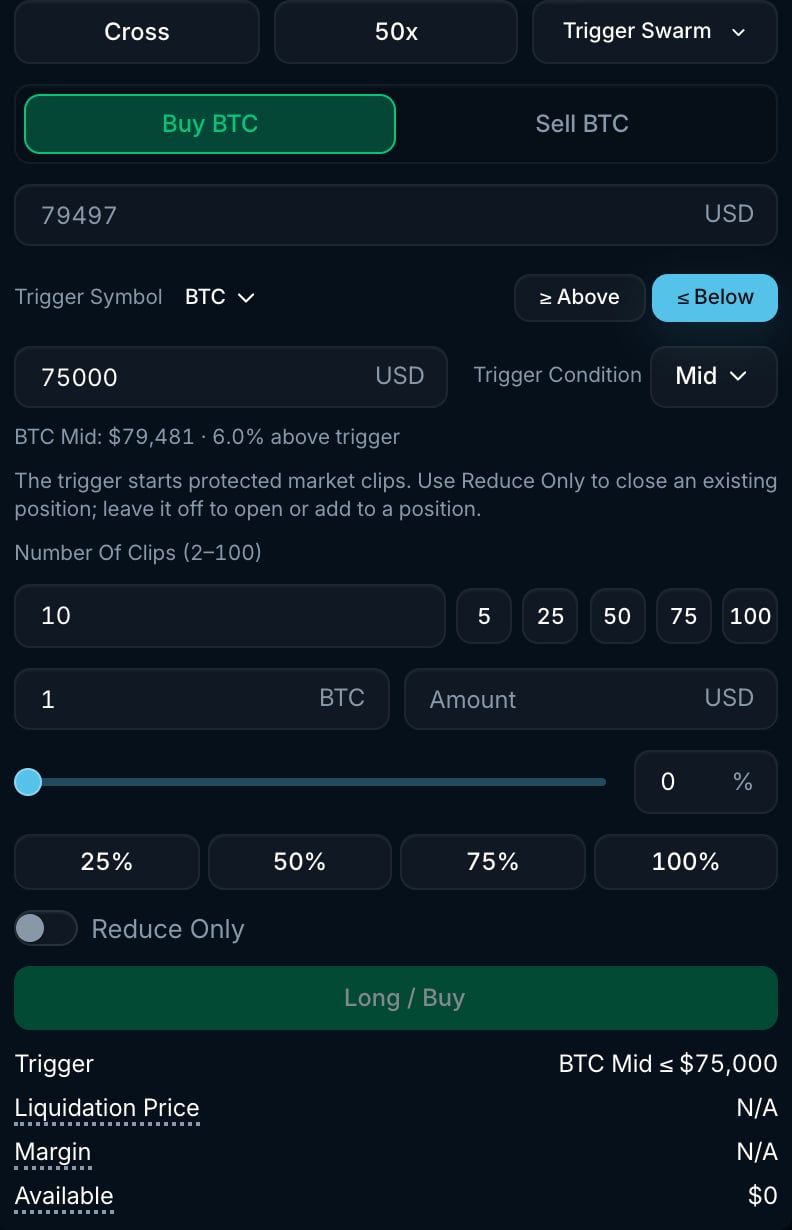
BTC Trigger Swarm form with a price condition and clip count.
How it works
- Set the trigger exactly as for a conditional order: Trigger Symbol (any market), ≥ Above or ≤ Below, Trigger Price, and the Trigger Condition price source (Mid, Mark, Last, Best Bid or Best Ask).
- Set the total Amount and the Clip Count (2 to 100).
- When the condition is met, the strategy starts placing clips. A condition that is already met can trigger immediately.
- Clips are placed sequentially. Each clip is a market order with your Max Slippage for the remaining amount divided by the remaining clips. The next clip is sent as soon as the previous one has settled. If a clip only partially fills, the shortfall rolls into the remaining clips.
- The strategy completes when the target amount has filled.
Settings
Trigger Swarm as a position exit
From the Positions table you can attach a Trigger Swarm to an open position (Trigger Swarm tab of the TP/SL dialog). In that mode, its target is the full position size at trigger time. It is cancelled if the position is gone or has changed side before the trigger. A full exit still depends on the clips filling.Example
You are long 1 BTC and want to exit if the market breaks down, but want to split the exit into smaller market orders:- Select Trigger Swarm, side Sell, Trigger Symbol BTC, ≤ Below $95,000, Trigger Condition Mark, Clip Count 10, Amount 1 BTC and Reduce Only on.
- When the mark price reaches $95,000 or lower, a 0.1 BTC market sell is placed. If each clip fills in full, the next clips are also 0.1 BTC. Partial fills change the size of later clips.
Good to know
- Until the condition is met, a Trigger Swarm holds nothing on the book and shows as Active in the Strategies tab (Trigger Swarm sub-tab).
- Temporary rejections can be retried. If execution ends before any clip is accepted or filled, the status is Trigger failed. If a clip was accepted or filled, it ends as Cancelled. Check the filled amount for any remaining position.
- Unlike a plain Swarm, a Trigger Swarm has no placement-speed setting. Its pace is set by how quickly each clip settles.