

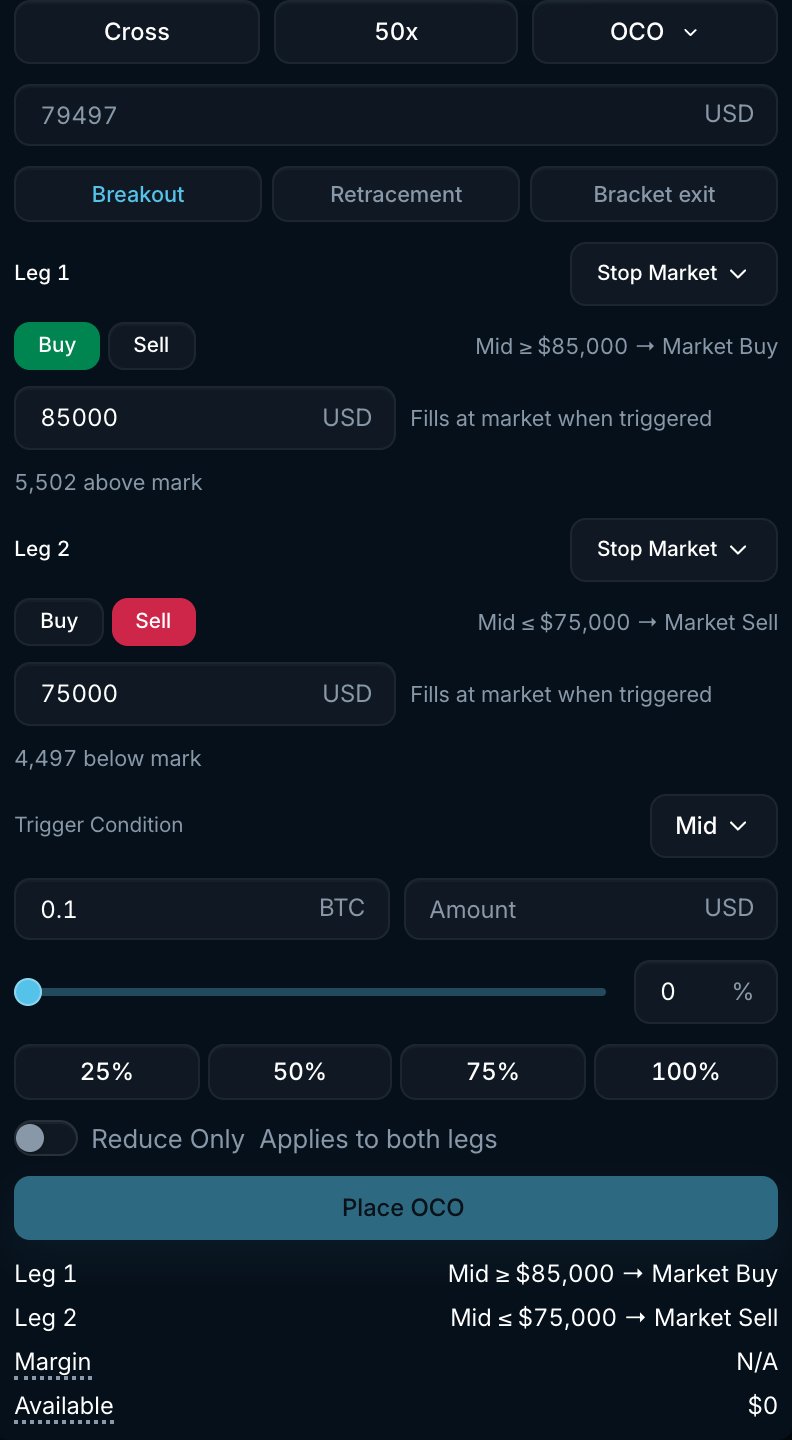
BTC OCO form with two alternative stop orders. The first to trigger cancels the other.
How it works
- Pick a preset or configure the two legs by hand.
- For each leg choose Stop Market or Stop Limit, Buy or Sell, and a Stop Price (plus a Limit Price for stop limit legs).
- Choose the Trigger Condition price source shared by both legs: Mid or Mark.
- Enter the Amount. Both legs use the same size.
- Pacifica watches the market. When one leg’s stop price is crossed, Pacifica submits that leg and cancels the other. A stop market leg places a market order using your Max Slippage. A stop limit leg places a GTC limit order at its limit price.
The other leg is cancelled when the first leg triggers, before a fill is confirmed. If the triggered order is rejected or does not fill, the cancelled leg does not become active again.
Presets
The three buttons fill in both legs 5% away from the current mark price. Edit any field afterwards.Settings
Example
You are long 0.1 BTC at $100,000. You want to take profit at $105,000 and stop out at $95,000:- Choose Bracket exit, then set Leg 1 to Stop Limit Sell with Stop Price and Limit Price both at $105,000. Set Leg 2 to Stop Market Sell with Stop Price at $95,000.
- Set Amount to 0.1 BTC, Trigger Condition to Mid and Reduce Only on.
- If mid reaches $105,000 first, a limit sell at $105,000 is placed and the stop loss is cancelled. If mid falls to $95,000 first, a market sell is placed and the take profit is cancelled. Either order may fill partially.
Good to know
- Only the triggered leg becomes an order. Until then an OCO holds no place in the order book queue.
- A stop limit leg rests as a GTC limit order after it triggers. If the market moves through the limit price, it may not fill.
- Open OCOs appear under the Strategies tab (OCO sub-tab). After a leg triggers, the resulting order appears in Open Orders or Trade History.
- OCO stop legs use Mid or Mark as the trigger source. Last trade price is not available for OCO.