Referrals
Once you have generated $10,000 in volume, you will be able to generate a referral link on app.pacifica.fi/referral, and share it with others to use in order to sign into Pacifica as your referee.
- Referees will receive a 5% point bonus
- Fee and point rewards are automatically credited to the referrer account alongside the weekly points distribution, based on the referred users’ trading activity.
- There is no application process required. Every user can generate their unique referral link directly from their account dashboard after reaching the $10,000 volume threshold.
How do I use a referral code? After creating a new wallet and joining Pacifica, navigate to the top-right corner and open the referral section. There, you’ll be prompted to enter a referral code. By using a referral code during signup, your account will be linked as a referee to the user who generated that code. How do I create a referral link?
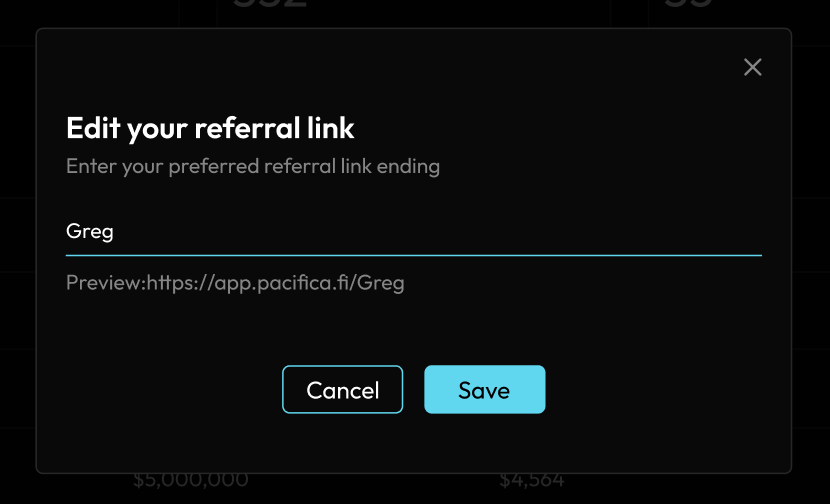
At the top part of the referral page (app.pacifica.fi/referral), you will see the “Generate Referral Link” button. Once you click it, you will be prompted to enter your preferred referral name. Once you have done that, you will be able to copy and paste the link. This will allow people to join Pacifica as your referral by just clicking it.
When joining Pacifica on a fresh wallet, through a referral link you will be prompted to connect your wallet, and then claim the referral code as shown below. Using a referral link to sign up to Pacifica will attach your account as a referee to the generator of the referral link. The referral will directly use up the amount of codes you have available. In order to claim a referral code you must deposit.