

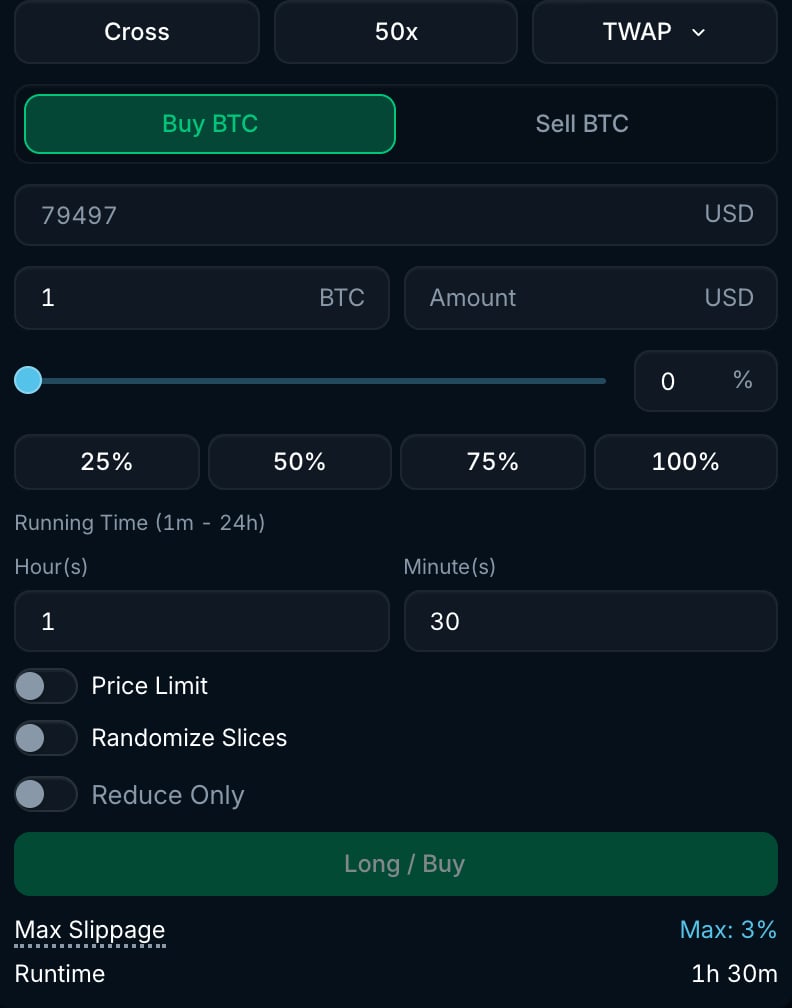
BTC TWAP form with running time and max slippage per slice.
How it works
- Enter the total Amount and the Running Time, from 1 minute to 24 hours.
- Choose your Max Slippage. It applies to each market order individually.
- Submit the TWAP. Pacifica places slices over the running time, subject to the schedule and settings below.
- Check the filled amount and status. A TWAP can finish with part of the amount unfilled.
Slice schedule
TWAPs plan between 2 and 100 slices across the running time, subject to lot-size and minimum-order requirements. The slices are scheduled from the start to the end of the window. Longer TWAPs therefore have wider gaps between slices. Slice sizes are fixed when you submit, so an unfilled amount is not redistributed to later slices. The running time sets the planned spacing; it is not an automatic cancellation deadline.Settings
Example
You want to sell 1 BTC over 90 minutes:- Set Amount to 1 BTC and Running Time to 1 hour 30 minutes.
- With Randomize Slices off, the schedule plans 100 slices of 0.01 BTC about 54.5 seconds apart. These planned amounts do not increase to make up for partial fills.
Good to know
- Market-order fills pay taker fees and appear in Trade History.
- Manage TWAPs in Strategies, under TWAP. The shared limit of 100 open strategies per account applies.
- Cancelling stops further execution. Trades already filled remain in your account.
- Pauses and randomized timing can change the actual duration. If you need execution to stop, cancel the strategy and check its status.