> ## Documentation Index
> Fetch the complete documentation index at: https://docs.pacifica.fi/llms.txt
> Use this file to discover all available pages before exploring further.
# Stop Market
> Place a market order when a trigger price is reached, for a stop loss, take profit or entry.
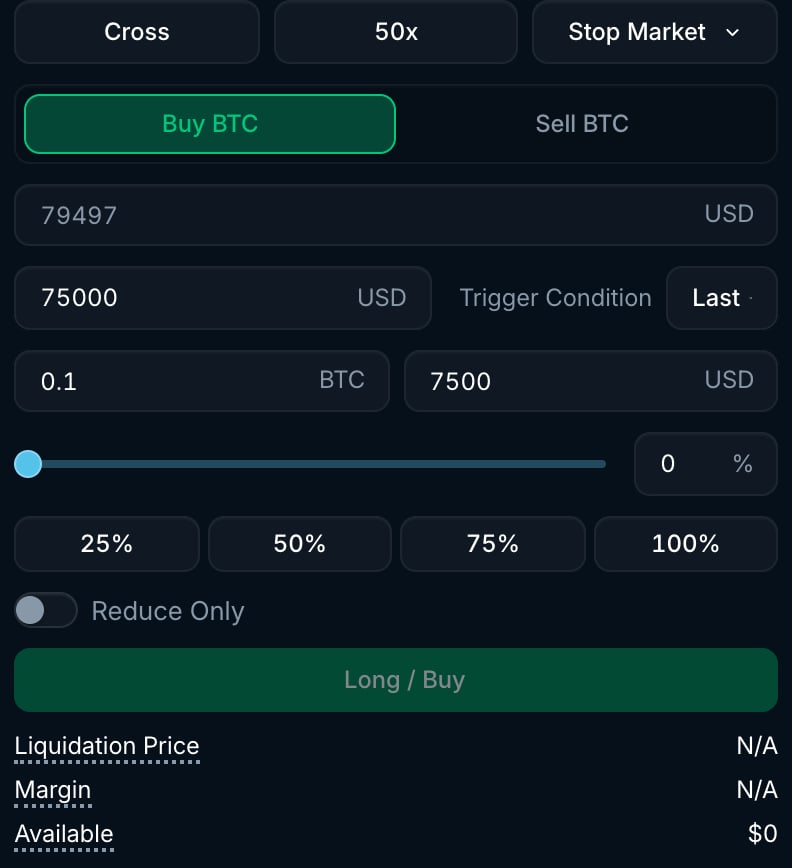
A stop market order sends a market order when a trigger price is reached. Set the **Stop Price** and pick the **Trigger Condition** price source: **Last** (last trade price, the default), **Mark** or **Mid**. Once triggered, it places a market order. Stop Market uses an 8% slippage limit, rather than the **Max Slippage** setting for a manually placed market order. Use it to take profit, limit losses or enter on a price move.